Coloring Games: Kids Coloring Book
Reviews
Description
Game Introduction
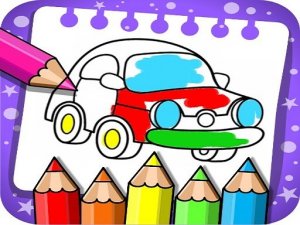
Coloring Games: Kids Coloring Book is a free online coloring activity designed for children of all ages. It provides a safe and creative space where kids can explore their artistic talents through various coloring activities. From paint by numbers to free doodling, the game offers multiple modes that keep young minds engaged. The intuitive interface makes it easy for even one-year-olds to start coloring. With bright colors, stickers, and patterns, every session becomes a joyful experience. Whether your child is a toddler or a preschooler, they will love the simple yet engaging gameplay. The game also includes a glow pen mode for unique neon art on dark backgrounds. It is a wonderful way to foster creativity and fine motor skills in a family-friendly environment.
How to Play
Playing Coloring Games is straightforward and fun. First, choose a mode like Fun Paint, Color Fill, Drawing, Glow Pen, or Number Paint. In Fun Paint, tap to fill blank pages with bright colors. Color Fill offers stickers, glitter, and crayons for detailed pictures. Drawing lets you create from scratch on a blank canvas. Glow Pen uses neon colors on dark backgrounds for glowing art. Number Paint is a color-by-numbers activity that guides kids step by step. Each mode is accessible with simple taps and swipes. Parents can set up profiles for each child and adjust difficulty levels. The game is completely free, so just open it and start creating. No downloads or payments are needed. Kids can experiment freely without restrictions, making it perfect for independent play or family time.
Game Features
Safe, ad-free environment. Multiple creative modes including Fun Paint, Color Fill, Drawing, Glow Pen, and Number Paint. Simple tap and swipe controls suitable for toddlers. No in-app purchases or hidden costs. Bright colors, stickers, glitter, and patterns. Parental controls for profile and difficulty settings.
Tips for Success
Encourage children to try all modes to discover their favorite. Use the Number Paint mode to learn color matching and number recognition. Let kids experiment freely without worrying about mistakes—every creation is a masterpiece. Set up individual profiles for each child to track their progress and adjust difficulty. Display finished artwork to boost confidence and motivate further creativity.