Reviews
Creative Coloring Book Art Game offers a peaceful creative outlet with no timers or scores. The dual-mode design lets you choose between structured coloring outlines or a blank canvas for free drawing. The color wheel and tools like brush, pencil, and fill are easy to use. It's perfect for beginners and experienced artists seeking relaxation.
About this game
Game Introduction
Creative Coloring Book Art Game is a relaxing digital art experience designed for players of all ages. The core objective is to express creativity through coloring pre-made outlines or drawing freely on a blank canvas. What makes this game unique is its dual-mode approach, combining the structure of a coloring book with the freedom of a sketchpad, all in a stress-free environment with no timers or scores. It provides a peaceful space for artistic expression, making it accessible to beginners and experienced artists alike.
How to Play
Players typically start by choosing a mode: either the Coloring Book section to select from pre-made outlines, or a New Canvas to begin a blank drawing. A color wheel is available to pick any shade, and tools such as brush, pencil, and fill are accessible on the toolbar. For detailed work, players can zoom in, or use the fill tool to cover larger areas quickly. There are no timers or scores, allowing players to work at their own pace. When finished, artwork can be saved to the device or shared with friends.
Game Features
Dual creative modes let players color or draw freely. An extensive color palette offers hundreds of shades for precise matching. User-friendly art tools include brush, pencil, and fill for different effects. The gameplay is relaxing with no pressure or time limits. Players can save and share their creations easily from the game menu. The interface is clean and intuitive, making digital art accessible to all skill levels.
Tips for Success
Take your time to explore the full color wheel and experiment with different shades to find pleasing combinations. Use the zoom feature for detailed areas and the fill tool for large sections to save effort. Practice regularly to become more comfortable with the brush and pencil tools. Don't be afraid to start with simple outlines before moving to free drawing. The key is to enjoy the process without worrying about perfection, as the game is designed for relaxation.
Compatibility
✅ Works on PC & Mobile | Recommended: Chrome / Safari / Edge
 MermaidTriv Games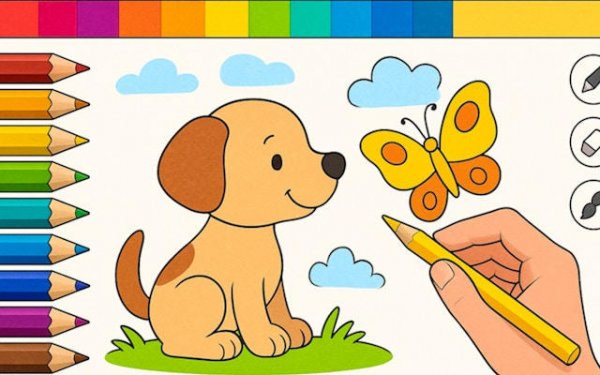









Comments
0 comments